What Google AI Studio Could Look Like: My Take
Created on September 8, 2026
Google has tools that cover different parts of building with AI. My question is: what if Google AI Studio brought them together into one workspace for taking an idea all the way through planning, design, implementation, and verification?
Not just a place to talk to a model or generate an app, but a place to direct a team of agents, see what they are doing, and make the decisions that move a project forward.
This prototype is my take on that experience. It is intended for developers, product builders, and teams who want to use AI agents for more complex projects while keeping the work visible and controllable.
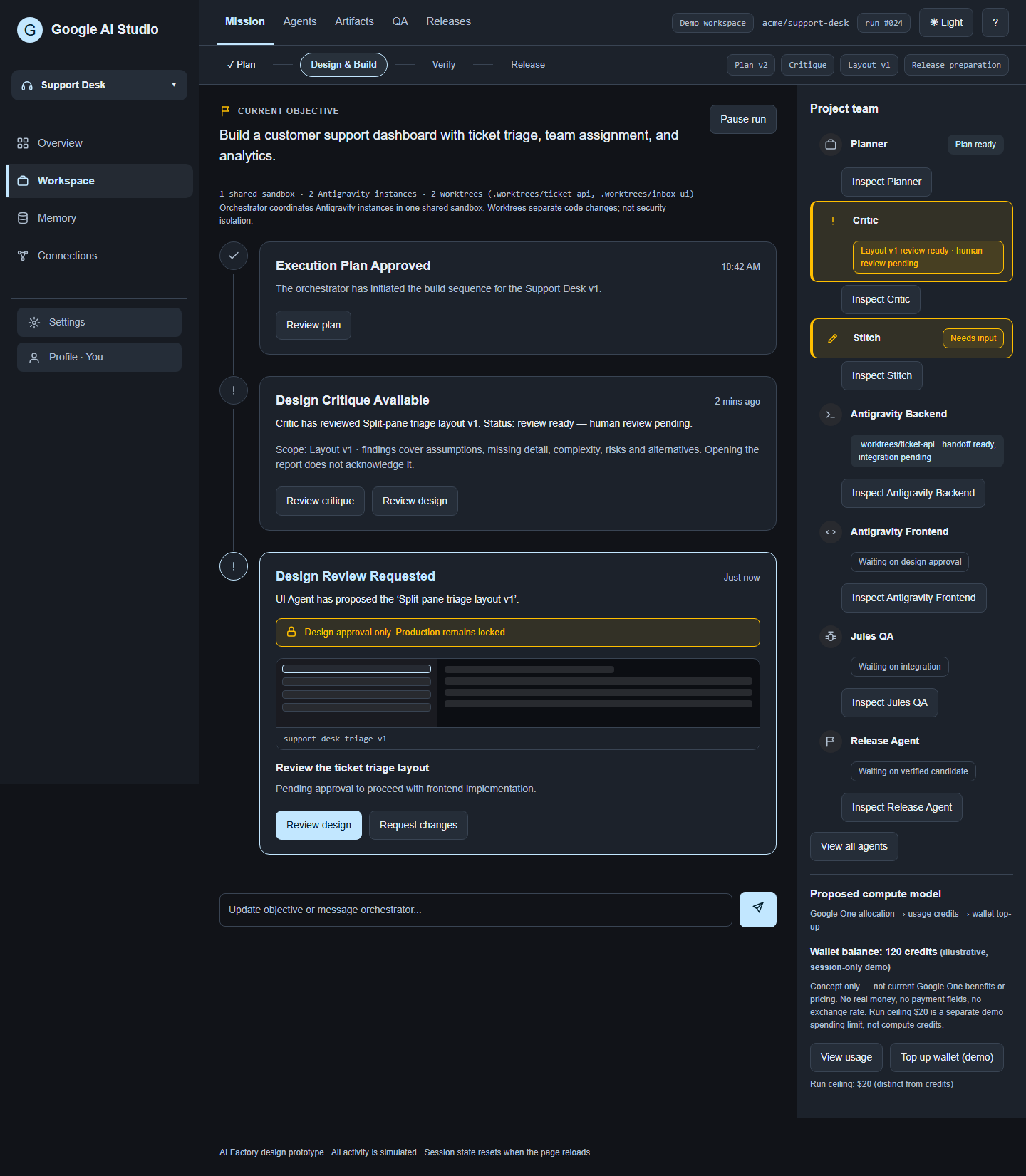
Start with an objective, not a list of tools
I want Google AI Studio to start with what I am trying to build, then help turn that objective into a clear plan.
The workspace should make it easy to understand:
- What is the plan?
- Which agents are working on what?
- What can run in parallel?
- What needs my input?
- What evidence says the work is ready?
The orchestrator should coordinate that process rather than hide it behind a chat response.
Let the orchestrator run the workflow
At the center of this concept is an orchestrator agent that manages how work moves through the project.
Based on the objective and current state of the project, it decides which agent sessions need to be started, which can run in parallel, when a session has finished its role, and when it should be closed.
It also decides which tools should be used for a particular task, creates dedicated branches when implementation work begins, and assigns those branches to the appropriate agent sessions.
For tasks that need focused interaction, the orchestrator could also generate disposable interfaces for a specific step or process. A temporary review panel, approval flow, configuration screen, comparison view, or task-specific workspace could appear when needed and disappear when the task is complete.
The goal is for Google AI Studio to manage the operational complexity while still making its decisions, agent activity, and handoffs visible to the user.
Bring the agents into one workflow
In my version of Google AI Studio, specialized agents and Google tools have clear roles inside the same project.
A Planning Agent turns the objective into a specification, plan, dependencies, and acceptance requirements.
A Critic Agent continuously reviews important outputs and challenges assumptions, risks, unnecessary complexity, missing details, and weak decisions.
Implementation Agents, AGY (Antigravity), can work on different parts of a project in parallel, with each agent session assigned a branch created by the orchestrator.
Stitch handles interface design so visual decisions can be reviewed before implementation moves forward.
Jules supports testing and QA, making failures and follow-up work visible.
A Release Agent prepares migrations, environment checks, deployment steps, health checks, rollback procedures, and release evidence before any production action is authorized.
NotebookLM provides a source-grounded interface to project knowledge, including requirements, research, decisions, and lessons.
The important idea is not the individual tools. It is how Google AI Studio could bring them into one coordinated workflow with shared context, clear responsibilities, and inspectable handoffs.
Parallel Execution
For parallel implementation, the orchestrator creates and assigns dedicated branches to agent sessions based on the work that needs to be done.
Compute for these sessions could draw from credits included with a Google One subscription, with usage, balance, top-ups, and spending limits visible in Google AI Studio.
Make Google AI Studio the mission control
I do not want to jump between separate tools and conversations to reconstruct the state of a project.
Google AI Studio could become the central mission view for the objective, orchestrator, agents, artifacts, decisions, QA, releases, memory, and connections.
An agent might be working, blocked, waiting for approval, or ready for review. Those states should be visible immediately.
The same applies to outputs. Designs, code changes, test reports, plans, and release candidates should be inspectable artifacts, not just claims inside chat messages.
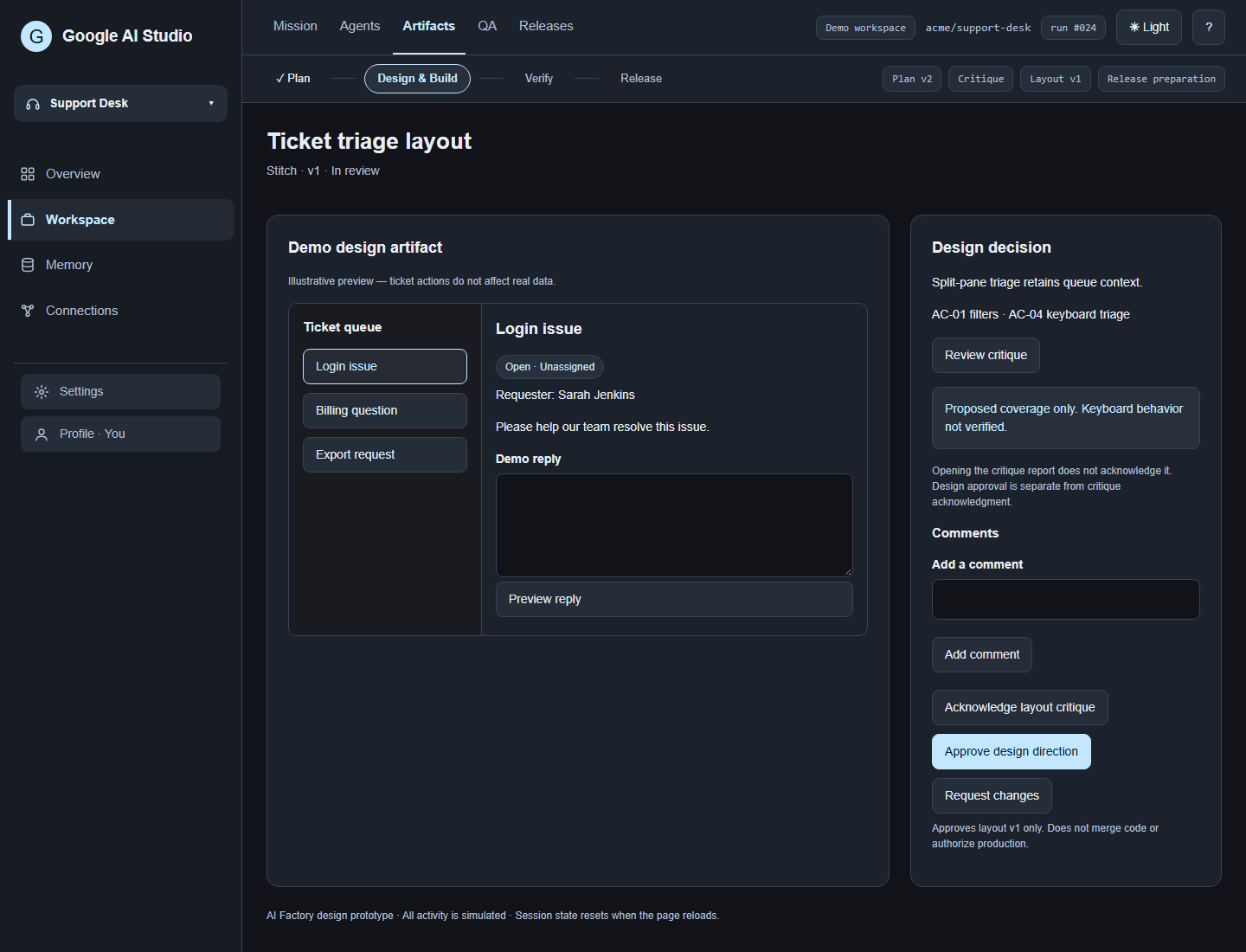
Mission control and design review in the same dark-themed prototype, with consistent branding and shared navigation.
Keep people in control
More automation should not mean less clarity about what has been authorized.
Approving a plan is different from approving a design.
Reviewing an implementation is different from passing integrated QA.
Passing QA is different from authorizing a production release.
Google AI Studio should make those boundaries explicit.
The workspace should be able to say: here is what was completed, here is what was verified, here is what failed, here is what remains, and here is the decision you are being asked to make.
That is the kind of confidence I want from an agent-powered development environment.
Remember the project, not just the conversation
Google AI Studio should build useful project context over time without treating every generated note as established fact.
Approved knowledge, proposed lessons, research, decisions, and potentially stale information should be distinguishable.
Sources matter. Decisions matter. An agent should be able to understand why something exists, not simply retrieve a sentence that mentions it.
NotebookLM could provide the knowledge interface, while versioned code and operational workflow state remain in their appropriate systems of record.
My take: Google AI Studio could become the place where Google’s AI development tools come together into one understandable, human-directed workflow, from an initial objective to a reviewed and verified result.
Explore the concept
No resources added for this note.